
PDF Import
Upload your brokerage statement. Greenline reads it.
Getting your investment data into a portfolio tracker shouldn’t require a bank login or hours of manual data entry. Your brokerage already sends you statements. Greenline reads them.
Upload a PDF statement from your brokerage and Greenline extracts your holdings, account values, and transaction details automatically.
How it works
- Download your statement from your brokerage (most brokerages have these under “Documents” or “Statements” in your account)
- Upload the PDF to Greenline
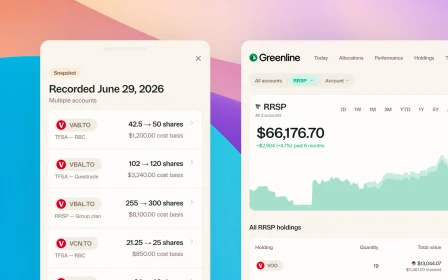
- Greenline parses the document and extracts your holdings, quantities, and values
That’s it. No copying numbers into spreadsheets, no typing in ticker symbols one by one.
Which brokerages are supported?
Greenline supports PDF statements from major Canadian brokerages including:
- Wealthsimple (monthly and quarterly statements)
- Questrade (monthly statements and activity reports)
- RBC Direct Investing
- TD Direct Investing
- BMO InvestorLine
- CIBC Investor’s Edge
- And more, with new brokerages added regularly
If your brokerage isn’t listed, you can still try uploading. Greenline’s parser handles a variety of statement formats, and you can always use CSV or screenshot import as alternatives.
What data gets extracted?
From a typical brokerage PDF statement, Greenline pulls:
- Holdings (ticker symbols and fund names)
- Quantities (number of shares or units)
- Market values
- Account type (TFSA, RRSP, non-registered, etc.)
- Transaction history (when available in the statement)
What about mutual funds?
Statements bring in your stocks and ETFs. At this time, mutual funds are supported through manual tracking, so they are a separate step: you add each fund once, then set the balance from your statement, usually monthly or quarterly. There is a short guide on tracking mutual funds that walks through it.
We released it this way because people asked for it rather than waiting, and we are improving it as fast as we can.
What if the PDF doesn’t parse correctly?
Some statements are formatted in ways that make automatic parsing tricky. If Greenline can’t read part of your statement, it will flag what it couldn’t extract so you can review and correct it. You can also switch to CSV import or screenshot import for that particular account.
Is my statement stored securely?
Greenline processes your PDF to extract the data, and your financial information stays inside Greenline. There’s no bank linking involved. You control exactly what Greenline sees, because you choose what to upload.
Related reading

How to read your brokerage statement

Best way to track your portfolio in Canada

The multi-account problem
How to read your brokerage statement
It's more common than you'd think to get a brokerage statement and just ignore it. Here's what all those numbers mean, and why it's worth five minutes.
Best way to track your portfolio in Canada
The multi-account problem
See your full financial picture in one view.
See your full portfolioFree during Beta. Early Members will be offered better rates than new users when we launch paid plans.