


CSV Import
Export from your brokerage, import into Greenline.
Most brokerages let you export your holdings or activity history as a CSV file. If you’ve ever downloaded one, you know it’s a spreadsheet full of data that’s hard to make sense of on its own. Greenline turns that export into a clear picture of your portfolio.
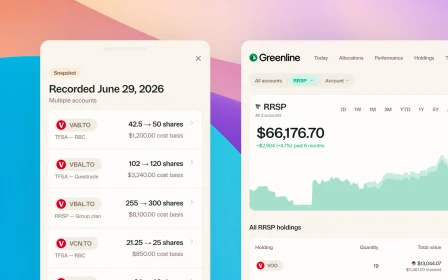
Upload your CSV and Greenline imports your holdings, maps them to the right securities, and adds them to your portfolio.
How it works
- Log into your brokerage and find the export or download option (usually under “Activity,” “Reports,” or “Account History”)
- Download the CSV file
- Upload it to Greenline
- Greenline reads the file, identifies your holdings, and imports them
The whole process takes a minute or two. No manual data entry required.
Which CSV formats are supported?
Greenline works with CSV exports from:
- Wealthsimple (activity and holdings exports)
- Questrade (activity reports and account exports)
- Custom formats where you can map columns to the right fields
If your brokerage’s CSV format isn’t automatically recognized, Greenline lets you map the columns manually. Tell it which column is the ticker symbol, which is the quantity, and which is the value, and the import handles the rest.
When should I use CSV instead of PDF?
CSV import works well when:
- Your brokerage offers easy CSV downloads but has hard-to-parse PDF statements
- You want to import transaction history (buys, sells, dividends) rather than just a snapshot of current holdings
- You prefer working with structured data that imports cleanly every time
Some investors use PDF import for their regular statements and CSV import for detailed transaction history. Both feed into the same portfolio.
What about mutual funds?
Statements bring in your stocks and ETFs. At this time, mutual funds are supported through manual tracking, so they are a separate step: you add each fund once, then set the balance from your statement, usually monthly or quarterly. There is a short guide on tracking mutual funds that walks through it.
We released it this way because people asked for it rather than waiting, and we are improving it as fast as we can.
What if my CSV has extra columns or different headers?
Greenline’s column mapping handles this. You don’t need to clean up your CSV before uploading. Just upload the raw file, map the relevant columns, and Greenline ignores the rest.
Can I import from a spreadsheet I’ve been maintaining?
If you’ve been tracking your portfolio in a spreadsheet, you can save it as a CSV and import it into Greenline. As long as it has ticker symbols, quantities, and values, Greenline can work with it.
Related reading

Best way to track your portfolio in Canada

The multi-account problem

Brokerage comparison: what to look for in Canada
Best way to track your portfolio in Canada
We built a portfolio tracker, so we're biased. But here's an honest look at every approach: spreadsheets, brokerage tools, bank-linked apps, and more.
The multi-account problem
Brokerage comparison: what to look for in Canada
See your full financial picture in one view.
See your full portfolioFree during Beta. Early Members will be offered better rates than new users when we launch paid plans.