


Multi-Account View
Every brokerage, every account type, one picture.
TFSA at Wealthsimple. RRSP at RBC. Non-registered at Questrade. Group RRSP at work. If your investment life looks like this, you already know the problem: no single app shows you the whole picture.
Greenline does. Upload statements from any combination of brokerages and account types, and Greenline shows you everything as one portfolio.
What Greenline shows you
Once you’ve uploaded statements from your various accounts, you’ll see:
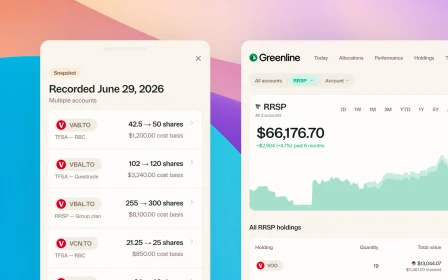
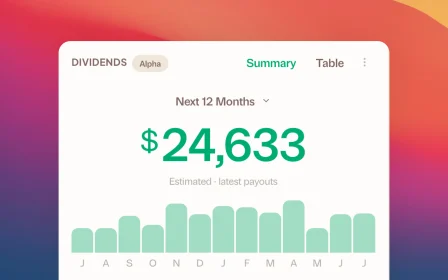
- Combined portfolio view: your total holdings across every account, treated as one portfolio
- Account-level detail: the ability to drill into any individual account when you want to see what’s where
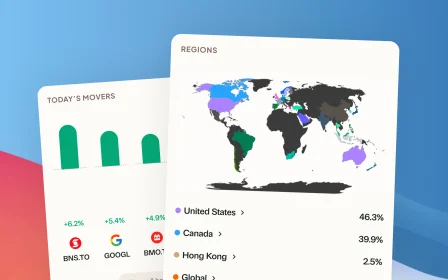
- Blended allocations: your true region, sector, and asset class breakdown across all accounts combined
- Fee picture: what you’re paying in total, not just per account
Your TFSA holdings and your RRSP holdings don’t exist in isolation. They’re part of one investment strategy, and Greenline shows them that way.
Which brokerages are supported?
Greenline works with the major Canadian brokerages including Wealthsimple, Questrade, RBC Direct Investing, TD Direct Investing, BMO InvestorLine, CIBC Investor’s Edge, and more. If your brokerage provides a PDF statement, CSV export, or you can take a screenshot of your holdings, Greenline can import it.
How does combining accounts work?
Every time you upload a statement, Greenline associates it with a brokerage and account type. If you upload a Wealthsimple TFSA statement and a Questrade RRSP statement, Greenline knows they’re separate accounts but shows them together as your combined portfolio.
You can switch between the combined view and individual account views any time.
What about duplicate holdings across accounts?
If you hold the same ETF in multiple accounts (say, XEQT in both your TFSA and RRSP), Greenline adds them together in the combined view. You’ll see your total XEQT position across all accounts, along with the breakdown of how much is in each one.
Does this work with group plans through work?
Yes. If you can get a statement from your group RRSP or pension plan (most providers offer quarterly or annual statements as PDFs), you can upload it to Greenline. It gets included in your combined portfolio alongside your self-directed accounts.
Related reading
The multi-account problem

Your portfolio is one thing, not five accounts

Why are Canada's account names so confusing?
The multi-account problem
TFSA here, RRSP there, spouse's account somewhere else. No single place shows you the whole picture. You're making decisions without seeing the full board.
Your portfolio is one thing, not five accounts
Why are Canada's account names so confusing?
See your full financial picture in one view.
See your full portfolioFree during Beta. Early Members will be offered better rates than new users when we launch paid plans.