
Questrade Review: fees, account types, and what's missing
Low-cost trades are just the start. Greenline shows you where it all adds up.
Questrade is one of the most popular self-directed brokerages in Canada. $0 commissions on stocks and ETFs, and support for every registered account type. If you’re using Questrade, you’re already ahead of most investors on fees.
Here’s an honest look at where Questrade is strong, where it falls short, and how to track your full investment picture if your accounts span more than one brokerage.
Pricing and fees
Stocks and ETFs trade at $0 commission, on both buys and sells. Questrade dropped trading commissions in 2024; before that, ETF sales cost $4.95 and stock trades ran a tiered $4.95 to $9.95. Today it sits alongside Wealthsimple and NBDB as a $0-commission platform for stocks and ETFs.
There’s no quarterly maintenance fee on registered accounts, and Questrade no longer charges the old non-registered inactivity fee on its standard self-directed accounts.
Foreign exchange on USD conversions runs about 1.5 to 2.0 percent on standard conversions, but Questrade is one of the most Norbert’s-Gambit-friendly platforms in Canada. The manual two-step trade in DLR and DLR.U converts at near-mid-market rates and is widely documented.
Accounts supported
TFSA, RRSP, FHSA, RRIF, RESP, LIRA, LIF, margin, corporate, and joint cash accounts. Questrade also offers USD-denominated registered accounts, which avoids forced conversion on every U.S.-listed trade. That’s a meaningful edge for cross-border investors and one of the clearest reasons people choose Questrade over Wealthsimple.
Platform and experience
The web platform handles the basics cleanly. IQ Edge, the downloadable desktop platform, is where the depth lives: customizable screens, advanced order types, and Level 2 data for active traders.
The mobile app is solid but not as polished as Wealthsimple’s. The Questrade ecosystem integrates with Passiv, a portfolio rebalancing tool that helps allocate new contributions across your target weights. For buy-and-hold investors who want automation without paying a robo-advisor fee, Passiv plus Questrade is a strong combination.
Customer service is competent. Funding from most Canadian banks takes one to three business days.
Where Questrade falls short
The standard FX markup on USD conversions, about 1.5 to 2 percent, stings if you skip Norbert’s Gambit, and there’s a $1,000 minimum to start trading. Neither is a dealbreaker, but they are the friction points people hit.
IQ Edge has a learning curve that modern fintech competitors have stripped away. If you want a clean app and nothing else, Wealthsimple is closer to that experience.
Who Questrade is for
Questrade is the right brokerage if you want USD registered accounts, if you do Norbert’s Gambit for FX, if you use Passiv for rebalancing, or if you want the deeper trading platform IQ Edge offers. With $0 commissions on stocks and ETFs, it now matches the simplest apps on price while offering more platform depth.
It’s the wrong fit if you want the simplest possible app with nothing extra to learn, or if a $1,000 starting minimum is a hurdle. For pure simplicity, Wealthsimple is the cleaner ride.
Tracking your full picture across accounts
Questrade shows you Questrade. If you have a workplace group RRSP, a spouse’s account at Wealthsimple, or older holdings at your bank, Questrade’s reporting stops at the Questrade boundary.
| Feature | Greenline | Questrade |
|---|---|---|
| Type | Portfolio tracker | Brokerage |
| Multiple brokerages | Yes | No (Questrade only) |
| Fee analysis across accounts | Yes | No |
| Trades | No (read-only) | Yes |
| ACB across brokerages | Yes | Within Questrade only |
| Free during beta | Yes | $0 stock and ETF trades |
Greenline is a Canadian portfolio tracker that brings everything together. Upload your Questrade PDF statement or CSV export, add your other accounts, and Greenline gives you one combined view.
You get:
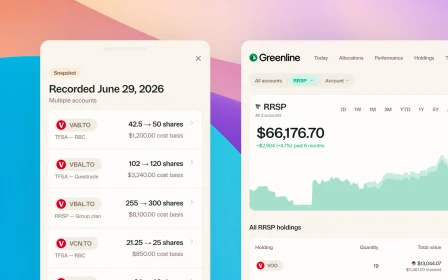
- One dashboard covering every account at every brokerage
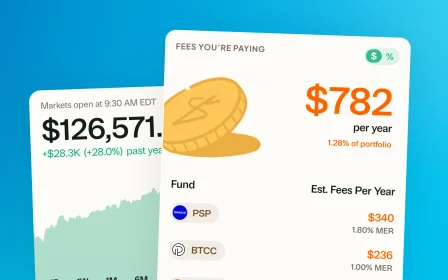
- Fee analysis showing what you’re actually paying across all your investments
- Net worth tracking that reflects your full investment picture
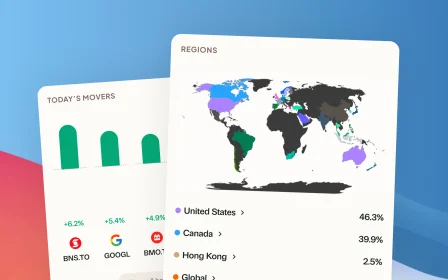
- Holdings deep dive breaking down your real allocation by region, sector, and asset class
- Tax reporting with ACB tracking that works across brokerages
Greenline doesn’t replace Questrade. You keep trading where you trade. Greenline makes sense of the full picture.
How to get started
Download your account statement as a PDF or export your activity as a CSV from Questrade. Upload either to Greenline, and your holdings are imported automatically. It takes a couple of minutes. From there, add your other accounts and you’ll have the complete picture.
Related reading

Brokerage comparison: what to look for in Canada

The multi-account problem

Wealthsimple vs Questrade: which Canadian brokerage is right for you?
Brokerage comparison: what to look for in Canada
Big-bank brokerages vs independents like Wealthsimple and Questrade, compared on what actually costs you: trading fees, FX markups, and inactivity charges.
The multi-account problem
Wealthsimple vs Questrade: which Canadian brokerage is right for you?
See your full financial picture in one view.
See your full portfolioFree during Beta. Early Members will be offered better rates than new users when we launch paid plans.