
Greenline + Qtrade
Great service and $0 commissions. Greenline adds the view across everything you own.
Qtrade has built a reputation as one of the best online brokerages in Canada, consistently ranking high for customer service and platform quality. In 2025, they moved to $0 commissions on stocks and ETFs, making them even more competitive. If you value a polished experience with real support behind it, Qtrade is a strong choice.
But Qtrade shows you Qtrade. When your investments are spread across multiple accounts and institutions, you need a broader view.
| Feature | Greenline | Qtrade |
|---|---|---|
| Type | Portfolio tracker | Brokerage |
| Multiple brokerages | Yes | No (Qtrade only) |
| Fee analysis across accounts | Yes | No |
| Trades | No (read-only) | Yes |
| ACB across brokerages | Yes | Within Qtrade only |
| Free during beta | Yes | $0 commissions on stocks and ETFs |
What does Qtrade do well?
Qtrade offers commission-free stock and ETF trading, a clean and well-organized platform, and customer service that regularly wins industry awards. For investors who want more than just a trading app, that combination matters.
They support TFSAs, RRSPs, FHSAs, RESPs, and non-registered accounts. The platform includes research tools, watchlists, and portfolio analysis features. For beginners, Qtrade is approachable without feeling oversimplified.
If you want a brokerage that treats customer experience as a priority, Qtrade delivers.
Where does it get complicated?
The same challenge comes up here as with every brokerage: Qtrade can only show you what’s held at Qtrade.
Maybe you switched to Qtrade recently but still have an older account at your bank. Maybe your spouse uses a different platform. Maybe your employer runs a group RRSP with another provider. Qtrade can report on Qtrade holdings, but it has no visibility into anything else.
You can’t see:
- Your total allocation across all brokerages
- Whether holdings at Qtrade overlap with positions elsewhere
- What your combined fees look like across every account
- Your full investment net worth
- Your adjusted cost base across multiple platforms
That’s not a gap in Qtrade specifically. It’s just how brokerages work.
How does Greenline fill the gap?
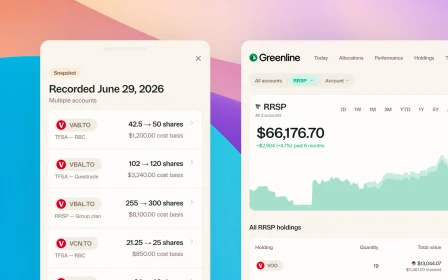
Greenline sits on top of all your accounts. Upload your Qtrade PDF statement, add your accounts from other brokerages, and Greenline gives you one unified view.
You get:
- One dashboard for every account at every brokerage
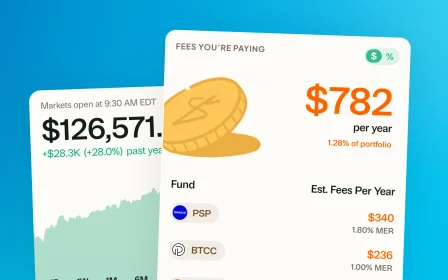
- Fee analysis showing what you’re actually paying across all your investments
- Net worth tracking that includes your full investment picture
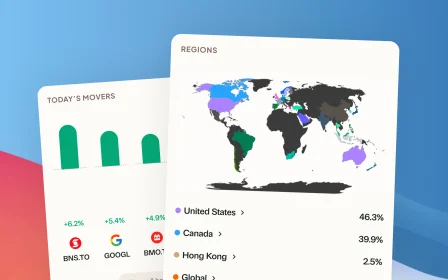
- Holdings deep dive breaking down your real allocation by region, sector, and asset class
- Tax reporting with ACB tracking that works across brokerages
Greenline doesn’t replace Qtrade. You keep trading where you trade. Greenline just shows you how it all fits together.
Do you need both?
If Qtrade is your only brokerage and their built-in tools give you what you need, you might not need Greenline right now. Qtrade’s platform is more comprehensive than most.
But if any of these sound familiar, Greenline adds something Qtrade can’t:
- You have accounts at more than one brokerage
- You want to see your total net worth, not just your Qtrade holdings
- You want to understand your combined allocation across everything
- You need ACB tracking for tax season
- You want a single daily summary covering all your investments
How to get started?
If you’re a Qtrade client, you can download your account statement as a PDF from the Qtrade platform. Upload it to Greenline, and your holdings are imported automatically. It takes a couple of minutes.
From there, add your other accounts and you’ll see the full picture.
Related reading

Brokerage comparison: what to look for in Canada

The multi-account problem

Wealthsimple vs Questrade: which Canadian brokerage is right for you?
Brokerage comparison: what to look for in Canada
Big-bank brokerages vs independents like Wealthsimple and Questrade, compared on what actually costs you: trading fees, FX markups, and inactivity charges.
The multi-account problem
Wealthsimple vs Questrade: which Canadian brokerage is right for you?
See your full financial picture in one view.
See your full portfolioFree during Beta. Early Members will be offered better rates than new users when we launch paid plans.