

Logging Transactions Manually
Last updated: 2026-08-22
You don’t always need a file. You can log a transaction directly whenever you want, and it takes effect immediately.
Steps
- Open the account you want to add to, or use the add button from your holdings list.
- Choose what you’re recording.
- Fill in the details. For a buy or a sell that’s the ticker, the quantity, and the total cost. If you’d rather enter a price per share, switch the field and Greenline works out the total.
- Set the date. Greenline fills in the most recent trading day.
- Tap Log.
What you can record
- Buy and Sell, with commission if you paid any.
- Dividend Distribution, the gross amount before any withholding tax.
- Dividend Reinvestment, when a dividend bought you more shares.
- Transfer In and Transfer Out, for shares moving between accounts rather than being bought or sold.
- Fee or Taxes, for account and management fees, or non-resident tax.
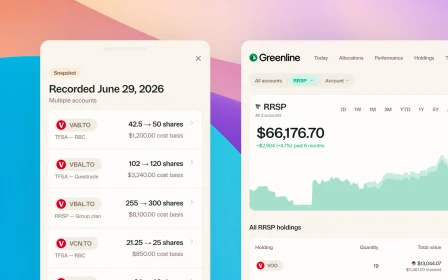
You can also log a cash balance, a mutual fund holding, or a position snapshot if you’d rather record where a holding stands today than reconstruct every trade.
Contributions and withdrawals
Money going into or out of an account isn’t a transaction here. That lives in the Contribution Tracker under Plan, which is where Greenline keeps an eye on your contribution room.
When this is useful
- You made a trade between statement periods and want to stay current.
- You’d rather log things as they happen than import later.
- A dividend landed and you want it recorded now.
- An import missed something and you’re filling the gap.
Still need help? Reach out at support@usegreenline.com.
Related articles
Still having trouble?
Reach out and we'll help you get set up. We usually reply within a day.
Email support@usegreenline.com