


Greenline vs Spreadsheets
Everything your spreadsheet does, without the maintenance.
If you track your investments in a spreadsheet, you’ve already done something most people never bother with. You built a system. You know what you own. You care enough to maintain it.
Greenline was built by people who did the same thing. We tracked our portfolios in Google Sheets for years before building something better. This page isn’t about convincing you your spreadsheet is bad. It’s about showing you where Greenline picks up where the spreadsheet leaves off.
| Feature | Greenline | Spreadsheets |
|---|---|---|
| Setup time | Under 5 min per account | Hours |
| Stock split handling | Automatic | Manual |
| Fee analysis | Yes | If you build it |
| Allocation views | Yes | If you build it |
| Multiple brokerages | Yes | Yes (one tab each) |
| Free | Yes (beta) | Yes |
What do spreadsheets do well?
Spreadsheets are incredibly flexible. You can build exactly the tracker you want, with the columns you want, in the order you want. You can add notes, colour-code things, and build formulas that work for your specific situation.
If you’re comfortable with spreadsheets, they give you a sense of control that most apps don’t. And because you built it yourself, you understand every piece of it.
That flexibility is real, and Greenline doesn’t try to replace it entirely. Some people keep a spreadsheet alongside Greenline for their own notes and planning.
Where do spreadsheets start to struggle?
The problems tend to show up over time, not all at once.
Pricing breaks. Google Finance formulas stop working for certain Canadian tickers, REITs, and delisted securities. You end up with #N/A errors and stale prices that quietly make your totals wrong.
Maintenance adds up. Every new holding, every stock split, every account change means updating formulas. Add a column in the wrong place and something downstream breaks. The system only works as long as you keep maintaining it.
No mobile access. Checking your portfolio means sitting down at your computer and opening the file. There’s no quick glance on your phone, no daily summary in your inbox.
Manual pricing. You either pull prices with formulas (which break) or update them by hand. Either way, your portfolio value is only as current as your last update.
Hard to share. If your partner or advisor wants to see your portfolio, they need access to your spreadsheet. And they need to understand how it works.
How does Greenline compare?
Greenline handles the parts of portfolio tracking that spreadsheets aren’t great at, while keeping the parts that matter most.
- Automatic pricing for Canadian and US securities, updated daily. No formulas to maintain.
- Works on any device. Web for desktop, a native iOS app for iPhone, a home-screen install for Android, plus a daily email summary. Your portfolio goes where you go.
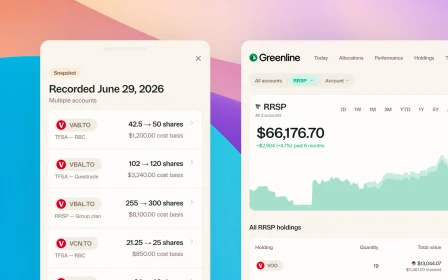
- Multi-account view that combines every brokerage into one dashboard. No copying and pasting between statements.
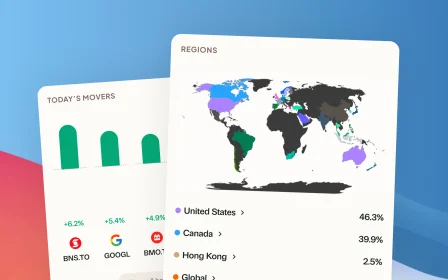
- Holdings deep dive that breaks down your real allocation by region, sector, and asset class, including what’s inside your ETFs.
- Fee analysis that shows what you’re actually paying across all your investments.
- ACB tracking for tax season, calculated automatically from your transaction history.
- Stock split detection so your history stays accurate without manual fixes.
You still upload your own data. No bank logins, no account linking. The same control you had with your spreadsheet, with less upkeep.
Do you need to switch?
If your spreadsheet is working and you enjoy maintaining it, there’s no pressure. Some investors genuinely like the ritual of updating their numbers by hand.
But if you’ve ever lost a formula to a bad edit, checked a price that turned out to be stale, or wished you could see your portfolio from your phone, Greenline solves those problems without asking you to give up control.
You can even import your spreadsheet data directly. Export a CSV, upload it to Greenline, and your history comes with you.
Related reading

Best way to track your portfolio in Canada

The multi-account problem
Why you should keep a record
Best way to track your portfolio in Canada
We built a portfolio tracker, so we're biased. But here's an honest look at every approach: spreadsheets, brokerage tools, bank-linked apps, and more.
The multi-account problem
Why you should keep a record
See your full financial picture in one view.
See your full portfolioFree during Beta. Early Members will be offered better rates than new users when we launch paid plans.